Key Points
- One source of truth. CRM, ERP, and analytics data reach Liferay through the same integration layer, so teams stop reconciling conflicting versions of the same customer or record.
- The right depth for each system. From a low-cost IFrame connection to a full API or native integration, you choose per system instead of committing to one architecture for everything.
- Less custom code to maintain. Pre-built connectors and Client Extensions handle what used to require bespoke development, without creating upgrade debt.
- Security and governance that travels with the data. Identity and permissions integrate alongside the data itself, so connecting a new system doesn't open a new access gap.
Your CRM, ERP, identity systems, and legacy platforms each hold a piece of the picture. When they don't talk to each other, neither do your teams, and neither does the experience your customers get. Liferay DXP connects what you already have instead of asking you to replace it.

Is This You?
If any of that sounds familiar, you're not alone. Across hundreds of Liferay-implemented enterprise projects, integration fit and connecting siloed applications into one platform were the outcomes buyers named most often.
- Your CRM, ERP, and other core systems each hold a different version of the truth, and nobody's fully sure how well a new platform will actually play with what's already there.
- Every new project seems to need its own one-off sync with an existing system, built and maintained separately, instead of a shared integration layer everyone can reuse.
- A past vendor promised “seamless integration” and handed you a six-month custom build instead.
- Identity and access need to travel with the data, not stop at your firewall, so single sign-on and permissions have to extend across every connected system, not just the ones your team built in-house.
If any of that sounds familiar, you're not alone. Across hundreds of Liferay-implemented enterprise projects, integration fit and connecting siloed applications into one platform were the outcomes buyers named most often.
What Is Enterprise Application Integration?
Enterprise application integration is the work of connecting the systems your business already depends on, CRM, ERP, identity providers, legacy portals, and third-party tools, so that data, permissions, and workflows move between them without manual re-entry or a custom-built bridge for every single connection.
There isn't one right way to do it. Some integrations only need a lightweight, presentation-level connection to get content into a new platform quickly. Others need a full API-driven or native integration that shares data and logic in both directions. The right approach depends on the system, the risk, and how much control you need. A platform that only offers one option will either overcharge you for simple connections or leave you stuck when you need something deeper.
That flexibility, choosing the right depth of integration per system instead of committing to one architecture for everything, is what the rest of this page walks through.
How Liferay DXP Solves It
Step 1: Map and Connect What You Already Have
Before you build anything custom, most of what you need to connect is probably already supported out of the box.
Integration Framework
Liferay DXP includes native support for SOAP, REST, GraphQL, RSS, and proprietary APIs, so connecting to back-end and legacy systems doesn't start with a blank slate.
Pre-built Connectors
A library of ready-made connectors covers the systems most enterprises already run, including Salesforce, SugarCRM, ElasticSearch, Google Drive and Office 365, Mulesoft, Camunda, Stripe, DocuSign, and TradeCentric. More are available through Liferay Marketplace.
Data Providers and ETL
Pre-populate forms with data from external services, or use an ETL tool to extract, transform, and load data between Liferay and systems like MySQL, SAP, or Salesforce, without duplicating what already exists elsewhere.
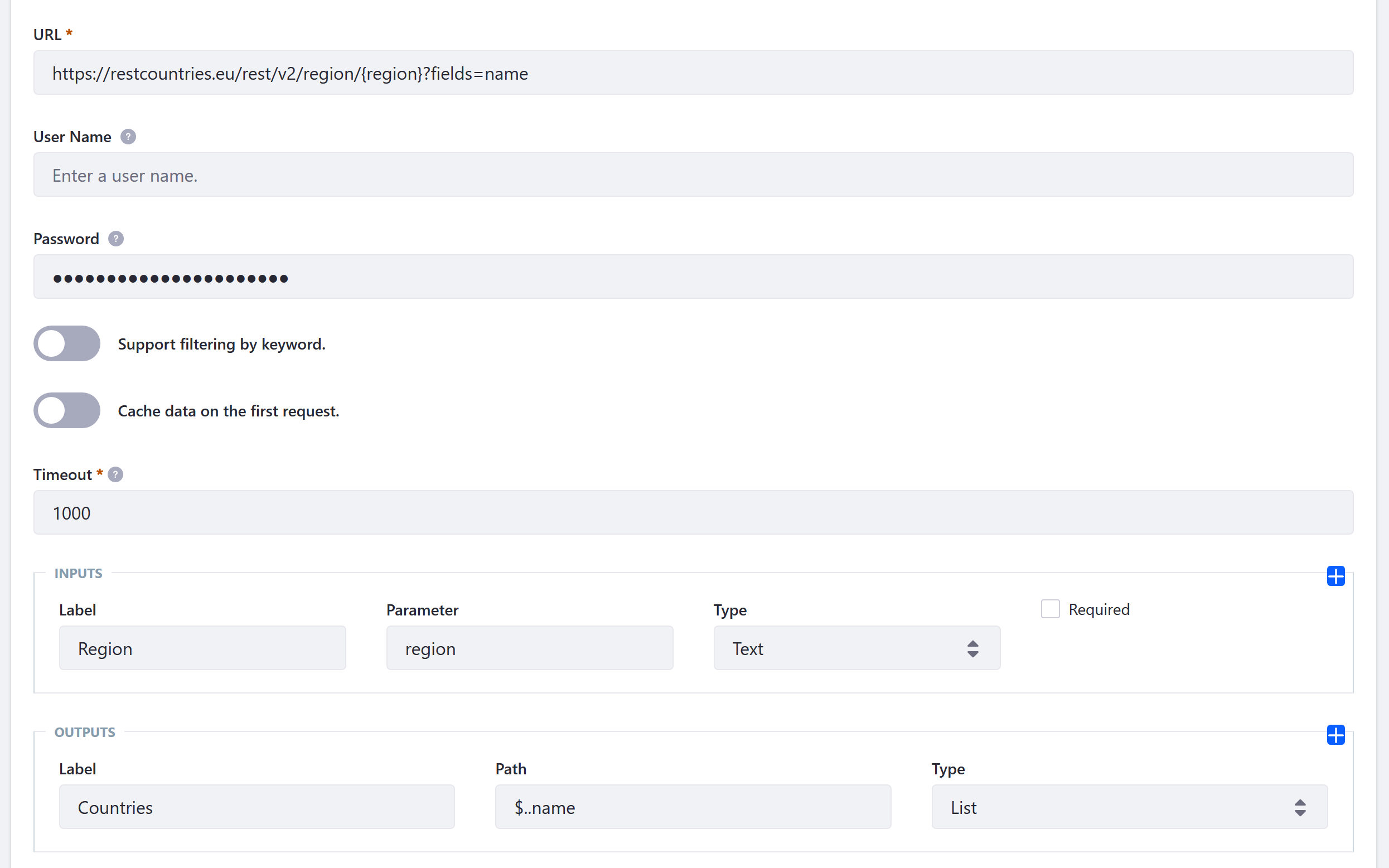
Step 2: Extend Where Off-the-Shelf Isn't Enough
When a connector doesn't already exist, you shouldn't have to choose between a rebuild and a workaround.
Headless REST and GraphQL APIs
Built on the OpenAPI standard, Liferay's headless APIs expose content, users, permissions, and commerce data to any front end or external system, so custom integrations aren't starting from scratch either.
API Builder
Define custom API schemas and endpoints from an OpenAPI definition, with optional GraphQL and batch import/export support, so integrations that fall outside the standard connectors still follow a consistent, documented pattern.
Liferay Objects
Model real business entities, a registration, a service ticket, an account, directly in Liferay, connect them to backend systems through Object Actions and the Data Engine, and let non-developers maintain business logic that would otherwise sit in custom code.
Client Extensions
Extend or customize Liferay DXP in JavaScript, CSS, or Python, without touching the core, so integrations survive upgrades instead of turning into technical debt.

Step 3: Carry Identity and Access With You
An integration that moves data but leaves permissions behind just creates a new silo instead of removing one.
Broad Identity Management Support
Liferay integrates with the identity platforms enterprises already run, including LDAP, SAML, OpenID, CAS, SiteMinder, OpenSSO/OpenAM, and social login, so authentication doesn't need to be rebuilt system by system.
Single Sign-On Across Connected Systems
Authenticated users move between Liferay and integrated systems without logging in again, and native or hybrid apps can use Liferay Screens to reuse the same login logic instead of building it twice.
Fine-Grained Permissions
Liferay's role-based permission system extends to every integrated asset, page, and application, so what a user can see and do stays consistent no matter which system the data originally came from.
See how to leverage Liferay's flexibility for your business →
Benefits of Integrating Your Enterprise Applications
One Source of Truth
When CRM, ERP, and analytics data reach Liferay through the same integration layer, teams stop reconciling conflicting versions of the same customer or record.
The Right Depth for Each System
A simple IFrame integration gets a legacy system into a new experience in days, at low cost, with no risk of conflict. A full API or native integration costs more and takes longer, but gives you complete access and control. Because Liferay supports the full range, you choose per system instead of over-committing on every connection.
Less Custom Code to Maintain
Pre-built connectors and Client Extensions handle what used to require bespoke development, and because extensions sit outside the core, they don't turn into upgrade debt later.
Security and Governance That Travels With the Data
Because identity and permissions integrate alongside the data itself, connecting a new system doesn't mean opening a new gap in who can see what.
Explore Related Capabilities & Solutions
Frequently Asked Questions
How well will Liferay integrate with our existing CRM, ERP, and other systems?
This is the single most common question we hear during evaluation. Liferay's integration framework supports SOAP, REST, GraphQL, and proprietary APIs natively, plus pre-built connectors for systems like Salesforce, SugarCRM, and Mulesoft, so most core-system connections don't require custom development.
What's available out of the box versus what needs custom work?
Connectors cover the most common enterprise systems: CRM, ERP, productivity, payments, e-signature, and workflow orchestration. For anything outside that list, API Builder and Liferay Objects give you a documented, low-code path to build a custom connection instead of starting from a blank slate.
Can we integrate incrementally, without ripping out core systems we already rely on?
Yes. Liferay supports integration at multiple levels, from simple presentation-level embedding to deep, native integration, so you can start light on a given system and go deeper only where it's worth the investment.
How does identity and access management integrate across connected systems?
Liferay supports LDAP, SAML, OpenID, CAS, SiteMinder, OpenSSO/OpenAM, and social login out of the box, and its role-based permission system extends across every integrated asset, so access stays consistent regardless of where the data originated.
How stable and future-proof are the APIs?
Liferay's headless APIs are built on OpenAPI, the same specification used by Google, Microsoft, and IBM. That means broad tooling support and a contract-first approach: you define the schema first, then implement against it, rather than reverse-engineering an undocumented API.
What's the difference between Liferay's low-code tools and its integration APIs?
They work together. Objects, Object Actions, and the Data Engine let business users model entities and automate workflows without writing code, while API Builder and the headless REST/GraphQL APIs give developers a documented way to expose or consume that same data externally.
